To scan a QR code displayed on your Mac, use an on-screen QR reader and drag around the code. The app decodes the visible pixels and copies the URL, Wi-Fi credentials or plain text to the clipboard. This avoids photographing the monitor with another device.
When using your phone camera makes sense
It does work: open Camera on your phone, point it at the screen, tap the notification. If the result is meant to end up on the phone - a login, an app link - that's even the right answer. The absurd part is when the link is meant for the Mac you're already sitting at.
Decode a QR code directly on the Mac
Text Capture reads QR codes the same way it reads text: press the hotkey, drag over the code, and the decoded content - a URL, Wi-Fi credentials, plain text - is on your clipboard, ready to paste into the browser or wherever it was headed.
One practical note from the app's own FAQ: capture just the code. If the selected region contains ordinary text alongside the QR code, the text wins and the code is ignored - a tight drag around the square is all it takes.
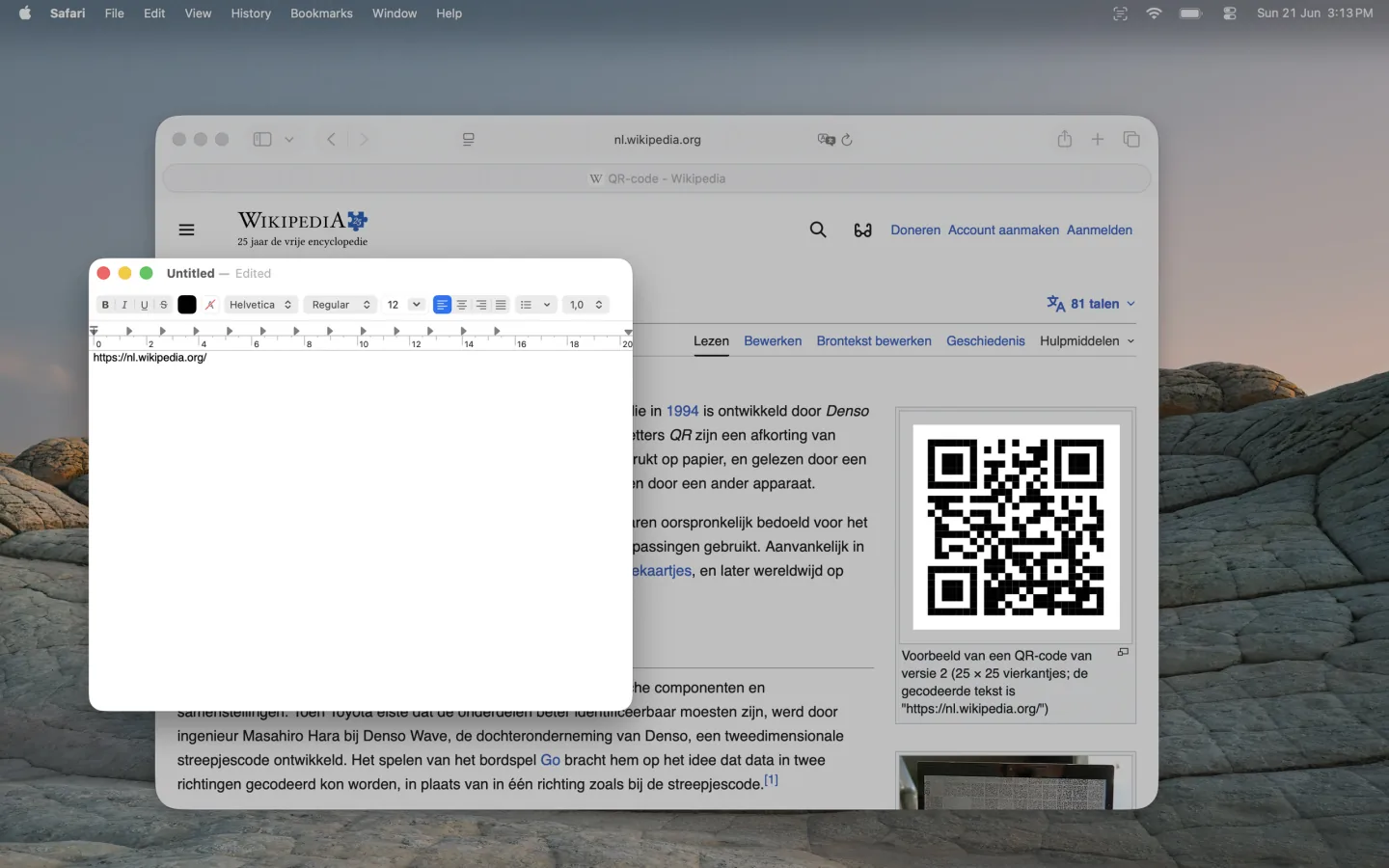
Free on the Mac App Store, fully offline - the code and its contents never leave your Mac.
FAQ
Can a Mac scan a QR code without a camera?
Yes - a QR code is data drawn as pixels, and an on-screen capture can decode it directly. No camera involved.
What kinds of codes does it read?
QR codes with any of the usual payloads: URLs, text, Wi-Fi credentials. The decoded text is copied as-is to the clipboard.
Why did my capture return text instead of the QR contents?
The region included readable text next to the code, and text takes precedence. Capture only the code and it decodes.
