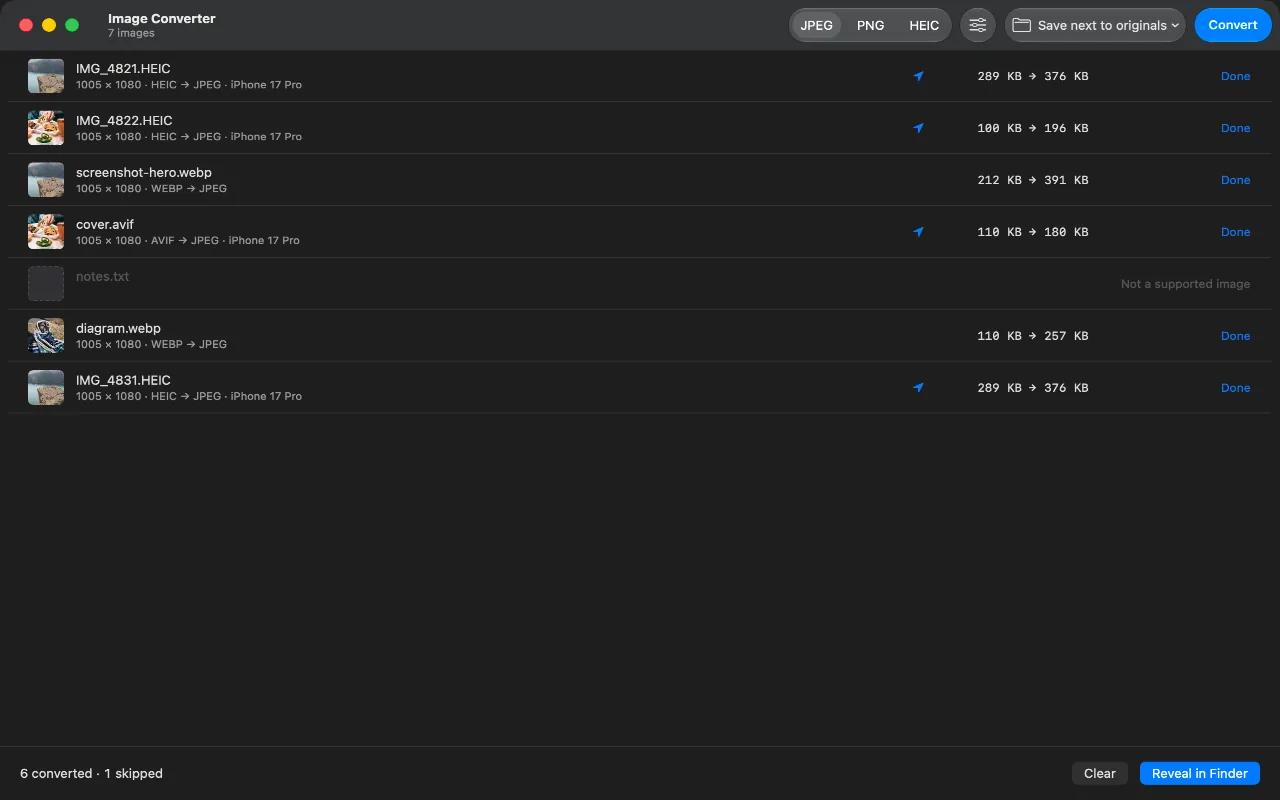
You converted a 289 KB HEIC to JPEG and got a 376 KB file. Nothing went wrong. That is the expected result, and it is worth understanding, because most people convert with the opposite expectation.
Why HEIC and AVIF can be smaller than JPEG
JPEG was standardised in 1992. It compresses an image in eight-by-eight pixel blocks with one transform and one quantisation table, and that design has not changed since.
HEIC and AVIF are still images built from modern video codecs, HEVC and AV1. Those codecs bring thirty years of accumulated technique to the same problem: variable block sizes, dozens of directional prediction modes, better transforms, better entropy coding. Predicting one part of an image from another is what a video codec spends its life doing, and it turns out to work just as well within a single frame.
The result: the same photograph, at the same visual quality, needs roughly half as many bytes as HEIC or AVIF as it does as JPEG. Converting to JPEG runs that in reverse.
Example HEIC, AVIF and WEBP conversions
These are measured, at JPEG quality 78, a normal setting where the loss is not visible:
HEIC  289 KB  ->  JPEG  376 KB
HEIC  100 KB  ->  JPEG  196 KB
AVIF  110 KB  ->  JPEG  177 KB
WEBP  212 KB  ->  JPEG  391 KB
Between one and a half and two times the size, consistently. Across a folder of four hundred photos that is real disk space, and it is the trade you make in exchange for a file that opens everywhere.
How to make a JPEG file smaller
Then converting to JPEG is the wrong operation, and no converter can fix that. Three things actually reduce size.
Lower the quality. Going from 90 to 75 typically removes a third of the bytes and is very hard to see in a photograph. This is the dial worth learning.
Reduce the pixel dimensions. A 48-megapixel photo destined for a web page or an email carries about ten times the pixels it needs. Halving the width and height quarters the pixel count, and that beats any codec choice.
Or convert the other way. If everything that has to open the file is modern, converting JPEG to HEIC will roughly halve it. That is the direction the savings live in, and Image Converter converts that way too.
FAQ
Am I losing quality and gaining size at the same time?
Yes, and it is not a contradiction. The JPEG encoder makes a second lossy pass, so a little detail goes, and JPEG still needs more bytes than HEIC to store what remains, because its compression is far older. You pay both costs. What you buy is a file that every piece of software on earth can open.
Would a higher quality setting make it smaller?
No, the opposite: quality and file size move together. Quality 95 produces a much bigger file than quality 75 of the same image. If you want smaller, go down, and 75 to 80 is where most people stop being able to tell the difference.
Does converting to PNG help?
It makes things dramatically worse for photographs. PNG is lossless, so a photo saved as PNG can be five to ten times the size of the JPEG. PNG is the right choice for screenshots, logos and diagrams, and the wrong one for anything with a camera behind it.
Should I delete the originals after converting?
Think carefully first. The HEIC or AVIF is the higher-quality, smaller file, and the JPEG is a lossy copy made for compatibility. Keeping the original and treating the JPEG as an export is usually the right way round. This app never modifies or removes an original, so that choice stays yours.
