To make new iPhone photos save as JPEG, open Settings, choose Camera, Formats, then select Most Compatible. If you want to keep space-saving HEIC originals on the phone but transfer compatible JPEG copies to a computer, change the separate Photos transfer setting instead.
Save new iPhone photos as JPEG
Go to Settings, Camera, Formats, and choose Most Compatible. From then on the camera writes JPEG, and the problem stops at the source.
The cost is real, so decide rather than default. JPEG photos take roughly twice the space on the phone, which is the very trade Apple made when it chose HEIC in the first place. You also lose depth information on Portrait shots, and certain high-frame-rate video modes are unavailable while Most Compatible is on.
Keep HEIC and convert photos during transfer
Go to Settings, Photos, and under Transfer to Mac or PC choose Automatic. Photos stay as HEIC on the phone, keeping the space saving, and are converted to JPEG when you copy them to a computer. Keep Originals does the opposite and hands over the HEIC untouched.
For most people this is the better setting: the efficient format on the phone, the compatible format everywhere else, and no decision to make each time. It only covers transfers, though. Photos you send from the phone, or pull out of iCloud on another machine, still arrive as HEIC.
Convert existing HEIC photos on a Mac
Neither setting reaches backwards. The HEIC files already on your Mac stay HEIC, and that is what Image Converter is for: drop the folder in, choose JPEG, and the copies land beside the originals, with the originals untouched.
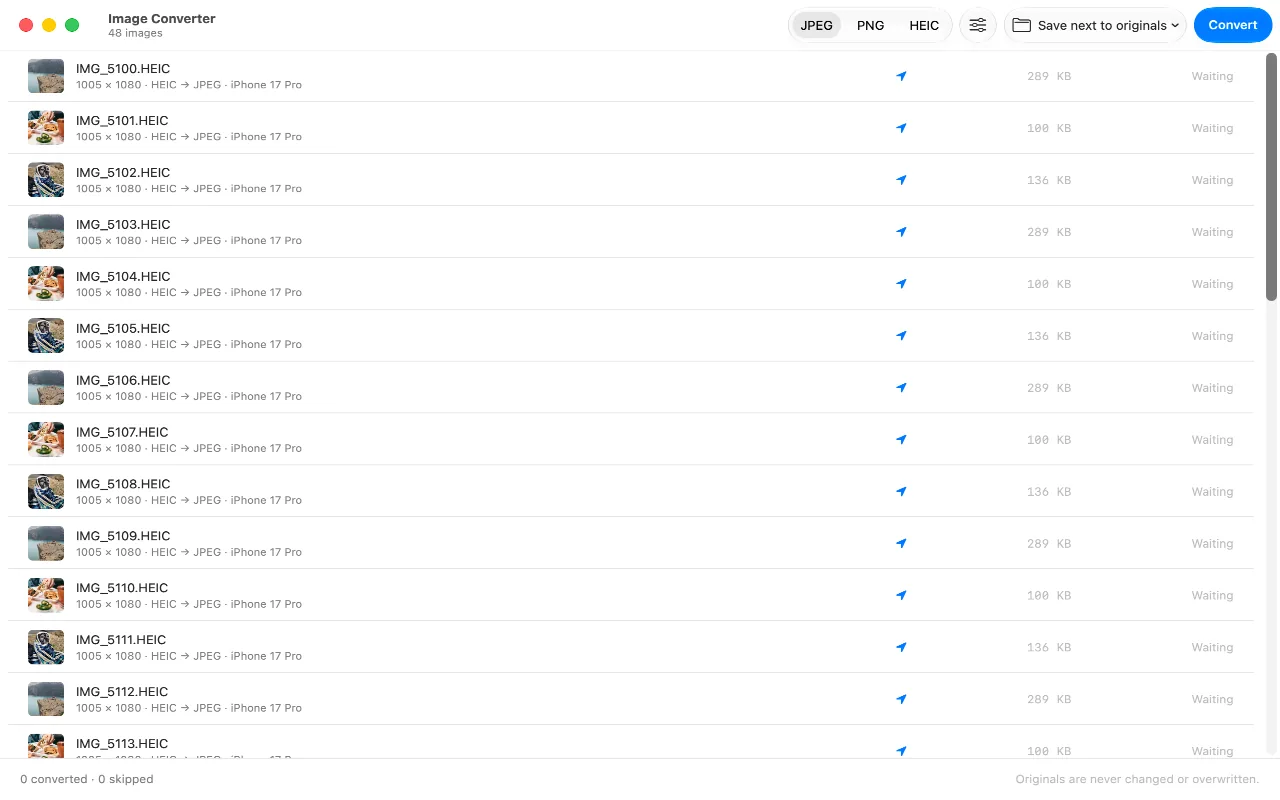
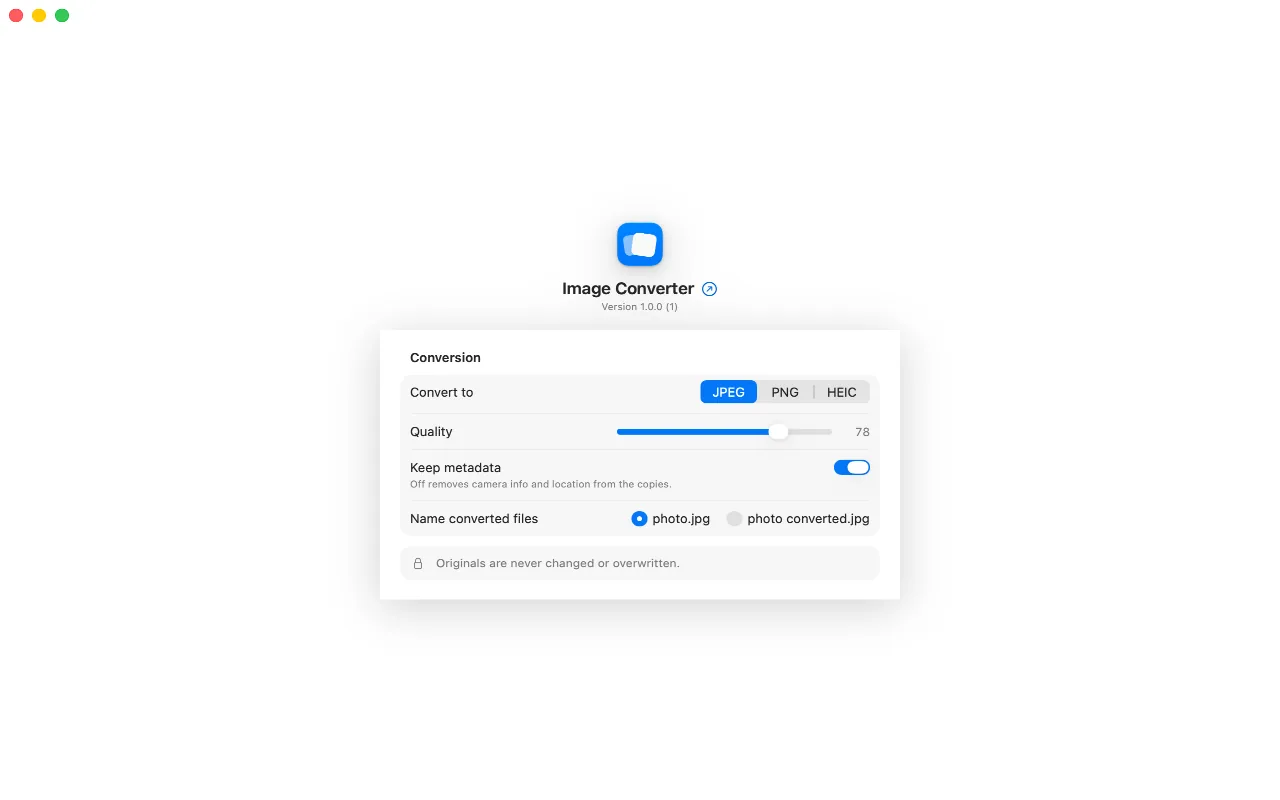
It is also the moment to decide what travels with them. Camera metadata includes the coordinates the photo was taken at, and a converted copy carries them unless the conversion is told to leave them out.
FAQ
Does Most Compatible reduce photo quality?
Not in a way you will see. The camera captures the same image and encodes it as JPEG instead of HEIC. The file is about twice the size for the same picture, and Portrait depth data and some high-frame-rate video modes are unavailable while it is on.
Why does my Mac show HEIC when my iPhone shows JPEG?
The Photos app shows you the picture, not the container. Unless you switched the camera to Most Compatible, what is stored is HEIC, regardless of what a share sheet or an export hands you afterwards.
Is HEIC worth keeping?
On the phone, yes: half the storage for the same photographs is a large win on a device you cannot add storage to. The friction lives entirely at the edges, when a file leaves for software that cannot read it, and converting at that moment is cheaper than doubling your library.
Does AirDrop convert HEIC?
AirDropping to another Apple device keeps HEIC, because the other end can read it. Sharing through apps and services varies: many re-encode to JPEG on their own, which is why the same photo sometimes arrives as HEIC and sometimes does not.
