Use tail -f to watch new lines as a log file grows. Use tail -F when the log may be rotated or replaced. If you also need to search, filter or scroll back without losing the live position, a graphical Follow mode is easier to manage.
Follow a log in Terminal with tail -f
tail -f /path/to/app.logstreams new lines as they are appended. Two flags worth knowing: tail -n 200 -f starts with the last 200 lines of context, and tail -F (capital F) keeps following by name, so it survives the log being rotated - plain -f goes quiet when the file is replaced under it.
tail is perfect for watching. It is much less good for reading: the history above is only what your terminal buffered, searching means another tool, and the moment you pipe through grep for filtering you lose the lines that didn't match - which are usually the context you need next.
Follow a live log in a Mac app
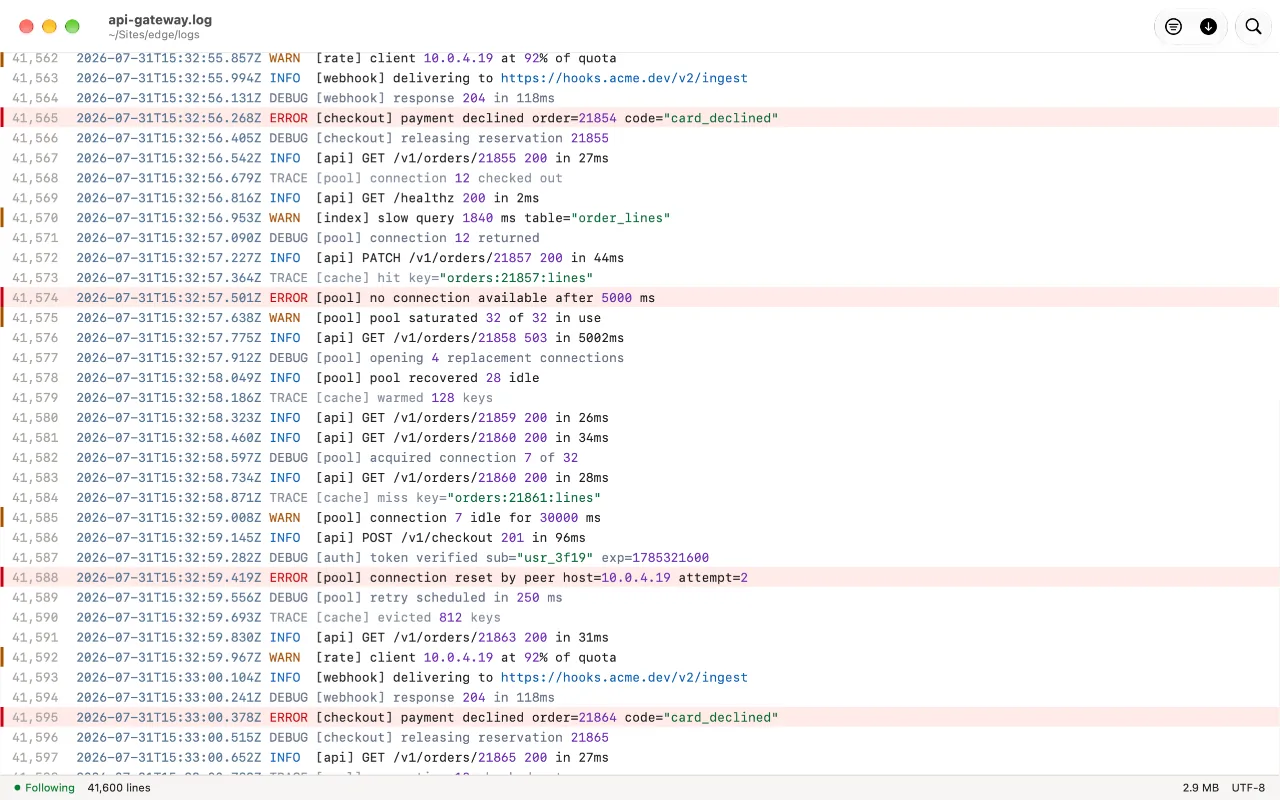
Log Viewer's Follow pins the view to the end of the file, and new lines are indexed as they arrive. The part that matters is what happens when you scroll away: it stops moving, counts what has arrived since, and waits - it never pulls the view out from under you mid-read. Rotation, truncation, even deletion are handled and said: a rotated file keeps being followed, and a deleted one leaves what you were reading on screen.
Because the whole file is open - not a stream - everything else still works while following: search, filter to just the errors, jump to a line, scroll back a million lines and return to the live end with one click.
Free on the Mac App Store. No accounts, no network.
FAQ
What's the difference between tail -f and tail -F?
-f follows the file handle and goes quiet if the file is rotated or replaced; -F follows the name, reopening the new file when it appears. If your logs rotate, you want -F.
Does Follow work on a file that gets truncated or rotated?
Yes. Log Viewer detects truncation, rotation and replacement, keeps following, and tells you what happened rather than silently showing stale content.
Can I filter while following?
Yes - Follow and Filter compose, so you can pin to the end of just the matching lines.
