When the log you need is already on screen - on a CI page or in another web tool, Docker Desktop or a terminal window - saving it to a file just to inspect it adds a needless step. Copy the excerpt, paste it into a log viewer, then search, filter and select the lines you need in a normal Mac window.
Copy an excerpt from a web page, Docker or Terminal
Use the Copy control on the CI page or web dashboard showing the log, or select text in Terminal and press Command-C. For a short Docker excerpt, pbcopy puts command output directly on the clipboard:
docker compose logs --tail=500 api | pbcopyChange api to your service name and the count to the amount of context you need. This is best for an incident excerpt or a failed build section, not for a multi-gigabyte file or a log that is still growing.
Paste it into a graphical log viewer
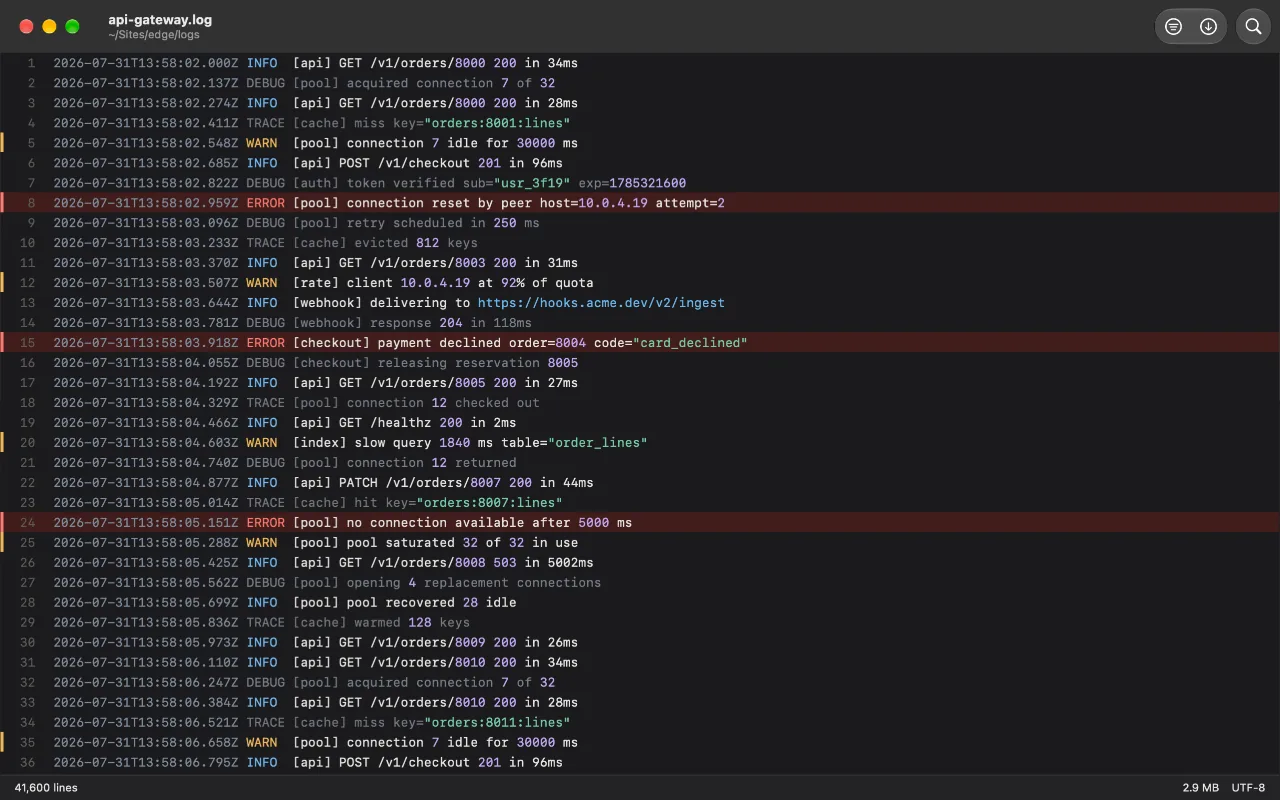
In Log Viewer, open an empty window and press Command-V, or choose Paste from Clipboard. The copied plain text opens as Pasted log #1 (then #2, and so on), so Find, Filter, severity colors and selection work immediately. Nothing is uploaded.
A pasted log is deliberately temporary: it is not shown in Recents and its private backing file is removed when you close or replace it. That makes it a good place to inspect a copied production excerpt without leaving another stray file behind.
Open the real file when the log is large or live
Clipboard paste is the quick preview. If the log is large, open the original file with Command-O or drop it on Log Viewer instead; it memory-maps the file rather than loading it all at once. If it is still being written, open that file and turn on Follow rather than repeatedly copying new output.
FAQ
Does pasting create a file in my Recent list?
No. A pasted log is backed by a private temporary file so the viewer can read it normally, but it never appears in Recents and the file is removed when its view closes or is replaced.
Can I paste a whole giant log file?
You can paste copied text, but opening the original file is the better route for a large log. It avoids making a large clipboard copy and lets Log Viewer memory-map the source file.
Will terminal color codes still work after I paste?
Yes. If the copied text includes ANSI escape codes, Log Viewer can render their colors, hide them, or leave them visible from Settings.
