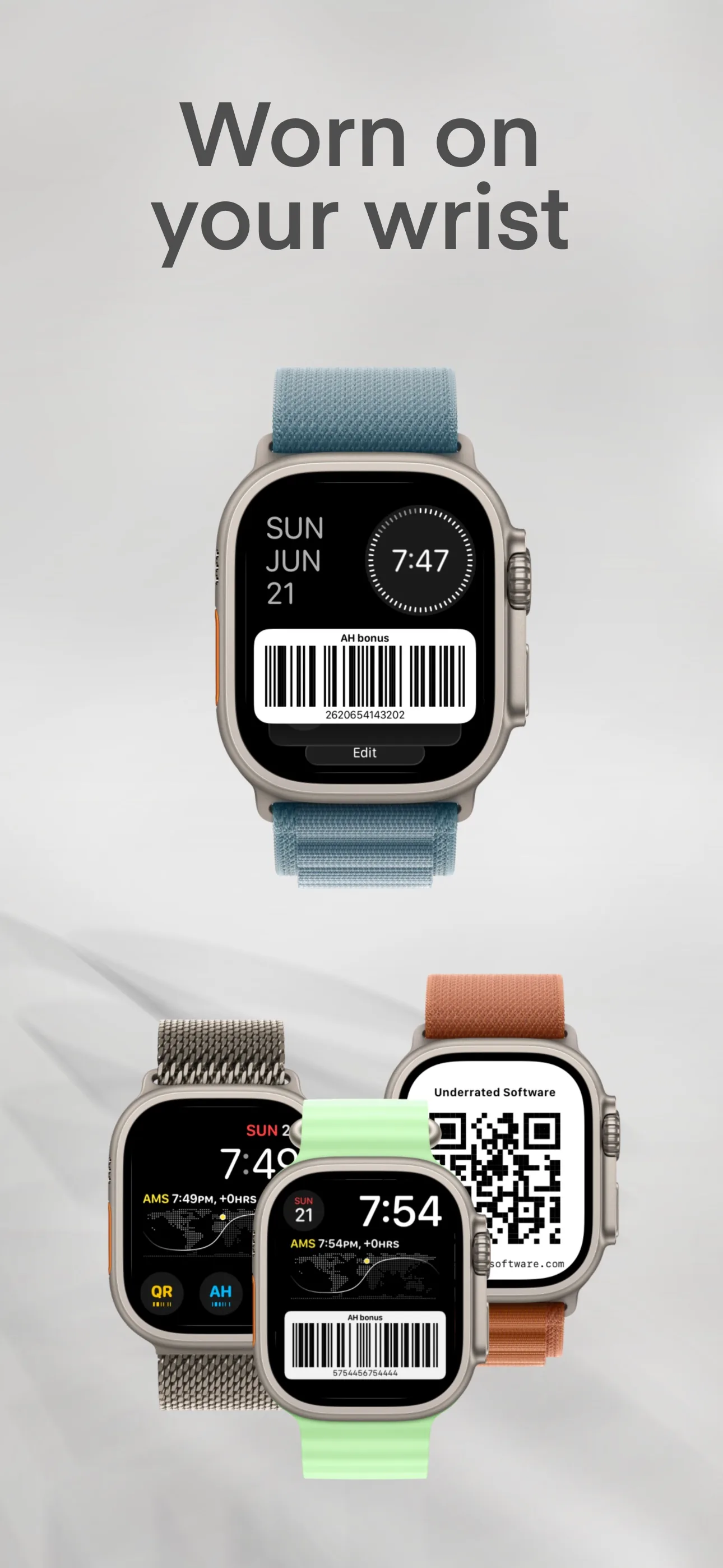
A Dutch supermarket trip may involve two separate actions: identify a loyalty account and pay. A code app such as Wrist Codes can display a saved barcode or QR code, while Apple Pay works at compatible contactless terminals with a supported card. Retailer programs, terminals and code formats vary, so verify both parts at the store you use.
What a wrist-only shop can carry
The two systems are independent. For Apple Pay, double-click the side button and hold the watch near a compatible contactless terminal. Apple says the contactless symbol is an indicator, but a merchant must also accept the payment network and your card. Loyalty identification is a separate barcode or QR scan; not every scanner is designed to read every code from a small illuminated screen.
Anything that is an interactive store-app action rather than a fixed code may still require the phone. Lidl’s current instructions, for example, tell shoppers to activate coupons in Lidl Plus before scanning its digital card. Equivalent current behavior was not verified for AH, Jumbo or PLUS in this review.
Albert Heijn
A previously recorded hands-on observation found an Albert Heijn bonuskaart barcode displayed by Wrist Codes readable at one camera-based self-checkout. That proves the observed checkout, not every AH scanner or future configuration. Current official AH documentation for Wallet support and every payment path was not established in this review, so confirm the code and payment method at your own store.
Jumbo
Jumbo was not physically tested in this review, and a current primary source proving its exact code format, Apple Wallet support and watch-screen scanner behavior was not established. If your account exposes a stable barcode, you can save it and test it at your usual checkout; keep the official app available for interactive savings features.
Lidl
Lidl currently describes Lidl Plus as a digital card in its app, shown as a QR code, and tells shoppers to activate coupons before scanning. Wrist Codes can render a saved QR code, but this implementation did not physically test a Lidl checkout and does not claim that every till will accept that reproduction. Coupon activation and Scan&Go remain store-app workflows.
Plus
PLUS was not physically tested and its current program behavior was not verified from a primary source during this review. Do not assume its code, app-only actions or scanners behave like Lidl or AH. Capture the current official instructions and test the intended checkout before relying on a watch copy.
At the self-checkout
The full sequence at, say, Albert Heijn: scan your items or the store handheld scanner as usual, flash the bonuskaart barcode from your wrist at the self-checkout scanner, then pay by double-clicking the side button for Apple Pay. This bonuskaart-from-the-wrist workflow was tested on a camera-based checkout scanner. Older laser-only scanners struggle with any screen, watch or phone alike.
Age-restricted purchases may require staff approval, and store policy or a failed scan can bring the phone or physical card back into the workflow. A watch can reduce what you carry; it does not make every checkout path identical.
FAQ
Can I pay with my Apple Watch at Albert Heijn?
Apple Pay can work at a compatible contactless terminal when the merchant accepts your card network. This review did not verify every Albert Heijn checkout type from a current primary source; confirm the terminal and your card at the store.
Can I put my bonuskaart on my Apple Watch?
A barcode app such as Wrist Codes can show a saved bonuskaart code on the watch. One camera-based AH self-checkout was previously observed reading it; that does not establish official Wallet support or compatibility with every scanner.
Does Lidl Plus work on the Apple Watch?
Lidl documents a QR code and coupon activation in the Lidl Plus app. A watch code can be attempted, but no Lidl checkout was physically tested here, so scanner acceptance is unresolved.
Which Dutch supermarkets have a loyalty card for the watch?
This review only has a recorded AH checkout observation and current Lidl documentation. Jumbo, PLUS, Aldi and Dirk need current retailer-specific verification before making a compatibility claim.
Which Dutch supermarkets accept Apple Pay?
Apple Pay requires a compatible contactless terminal, merchant acceptance of the payment network, and a supported card. Check the retailer and terminal rather than assuming every chain and checkout accepts the same methods.
