OCR, optical character recognition, turns a picture of text into text you can copy, search and edit. A Mac has done it for free since macOS Monterey under the name Live Text, so for many jobs you need nothing extra. Where Live Text stops is anything that is not a file open in one of Apple's apps.
Where macOS does OCR for you
- Preview: images and many scanned pages, with Tools, Text Selection turned on.
- Photos: any photo in your library, and paused videos.
- Quick Look: press Space on an image in Finder and select the text.
- Safari: text inside images on web pages.
- QuickTime Player and the TV app: a paused video frame.
Live Text has to be switched on in System Settings, General, Language & Region. It recognizes a growing list of languages, and it runs on the Mac rather than on a server.
Where it does not reach
Live Text works inside those apps, on content they display. It does not read a screen share in a video call, a remote desktop window, a frame in a third-party video player, a game, or the labels in an app's own interface. The built-in workaround is a screenshot opened in Quick Look, which works but leaves a file behind each time.
OCR for anything on screen
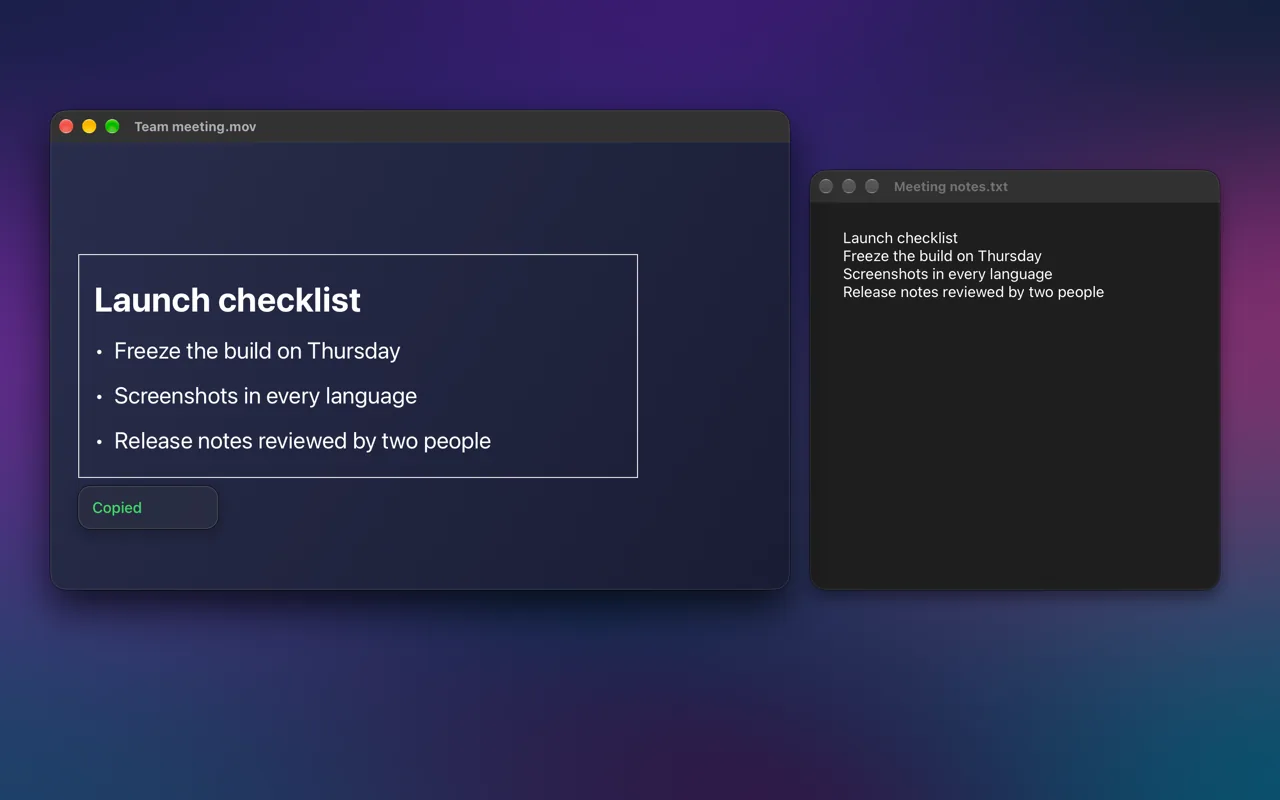
Screen OCR & Translate uses the same on-device recognition, Apple's Vision framework, but points it at whatever is on screen. Press Control-Option-C and drag across the text to copy it, or press Control-Option-D to translate it instead. Nothing is uploaded, and no file is saved.
| Option | Cost | Where it works | Uploads your image |
|---|---|---|---|
| Live Text | Free, built in | Apple's apps, on files and paused video | No |
| Screenshot plus Live Text | Free, built in | Anything on screen, via a saved screenshot | No |
| Online OCR websites | Usually free with limits | Files you upload | Yes |
| Screen OCR & Translate | Free | Anything on screen, with one shortcut | No |
FAQ
Is OCR on a Mac accurate?
For printed and on-screen text, very. Accuracy drops with tiny, blurry or stylized text, and with handwriting. Zooming in before you capture helps more than anything else.
Can a Mac turn a scanned PDF into searchable text?
Live Text lets you select and copy text from a scanned page, but it does not add a permanent text layer to the PDF. For a searchable PDF you need a dedicated PDF app with OCR export.
