macOS can translate text in three different places, and each needs a different method: text you can select, whole web pages, and text inside images and video. The built-in tools cover the first two well. Text in pictures is where a screen tool helps.
Text you can select
Select the text, Control-click it, and choose Translate. A panel shows the translation, with menus to change the languages. In text you can edit, the same panel offers Replace with Translation. This works in most Apple apps and many others, though some apps, like Microsoft Word, use their own translation feature instead.
Whole web pages
In Safari, a translate button appears in the address field on pages in a language it can translate. Click it and choose the language. Other browsers have their own page translation.
Text inside images and video
Open a photo in Preview or Photos, or pause a video in QuickTime Player, and select the text with Live Text. The Control-click menu on that selection offers Translate too. This works in Apple's apps on files you can open; it does not reach a sign in a video call, a menu in a game, or a photo inside another app.
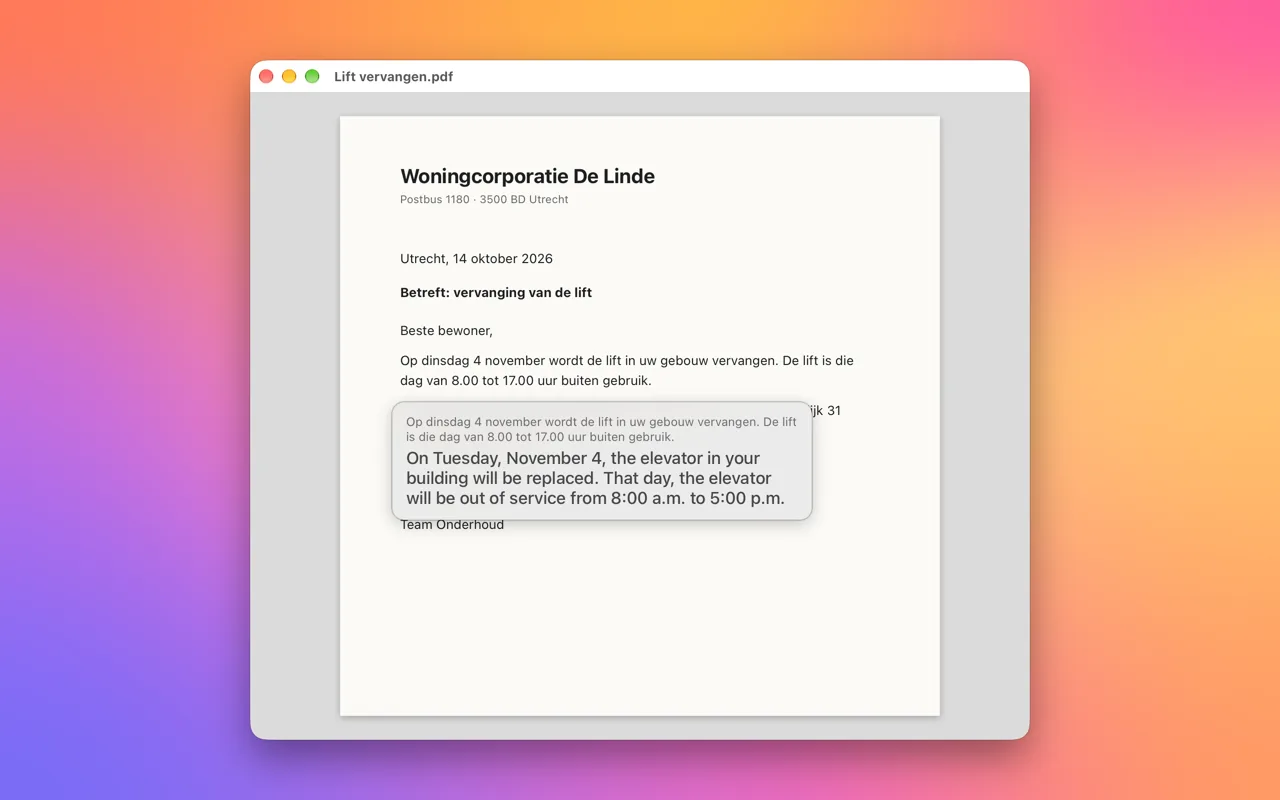
Screen OCR & Translate covers that last case. Press Control-Option-D, drag across the text, or click a single word, and the translation appears in a small card right under it. Click the card to copy the translation. The language is detected for you, and the card names it when it is not the one you usually translate.
Translating offline
macOS can translate without an internet connection once the languages are downloaded. Open System Settings, then General, then Language & Region, then Translation Languages, and download the ones you need. Apple notes that some results can be more accurate when processed on its servers; Screen OCR & Translate only ever uses the on-device languages.
| What you want to translate | Built into macOS | With a screen OCR shortcut |
|---|---|---|
| Selected text | Control-click, Translate | Copy, then Control-Option-S |
| A web page | Safari translate button | Drag across the part you need |
| An image or paused video in Apple apps | Live Text, then Translate | Drag across it |
| Text in any other app or a screen share | Not available | Drag across it |
FAQ
Is there a keyboard shortcut for translating on a Mac?
Not out of the box for the built-in Translate. Screen OCR & Translate uses Control-Option-D for text on screen, and Control-Option-S for text you have just copied.
Which languages can a Mac translate?
The list depends on your macOS version. System Settings shows every language you can download under General, Language & Region, Translation Languages.
